 PipeTV
Videos on your TV, made for the remote
No ads, no account, no clutter. PipeTV is a free and open source app for Android TV and Google TV.
Android 6.0 or newer · All releases
Why PipeTV
Everything is one press of the remote away, and nothing stands between you and the video.
Made for the remote
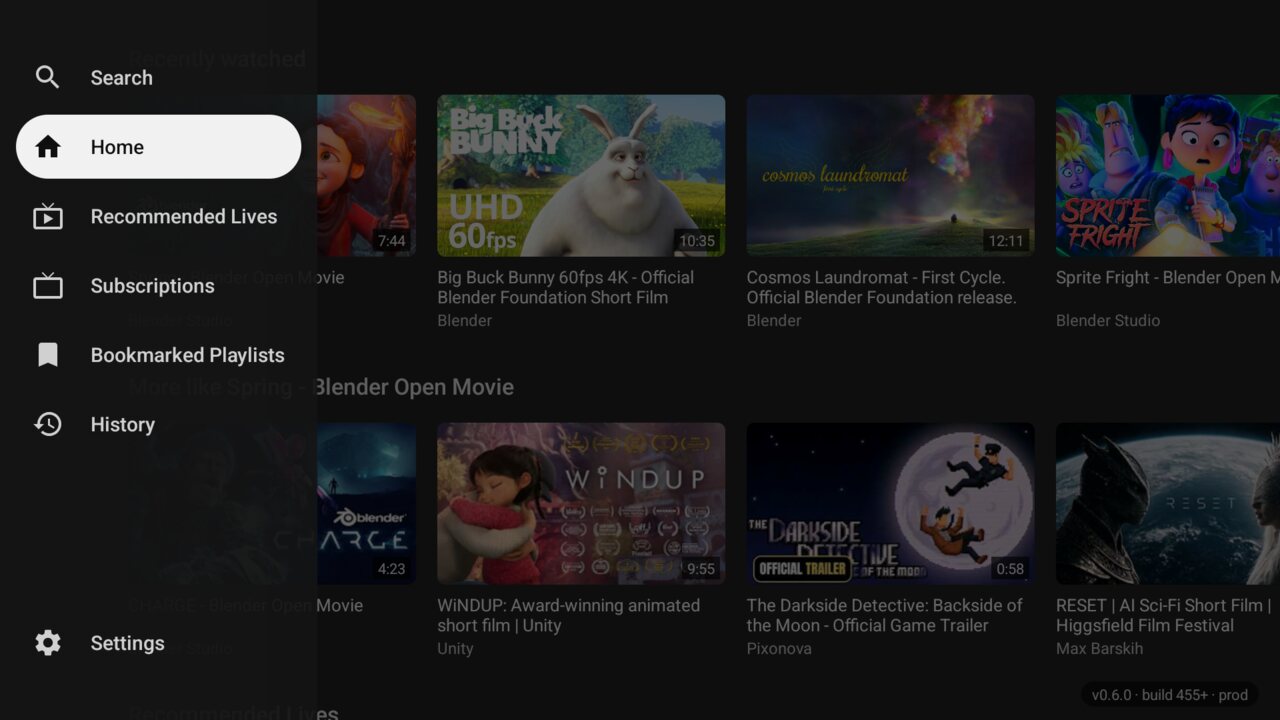
Left opens the side rail, Up and Down move along it, OK goes there. A soft white outline glides to whatever has the focus, so you always know where you are.
Straight to the video
Choose a video and it plays fullscreen right away. Press Down while it plays and the related videos come up over it, as in YouTube's own TV app. When it ends, the next one starts after a countdown you can cancel.
A home of rows
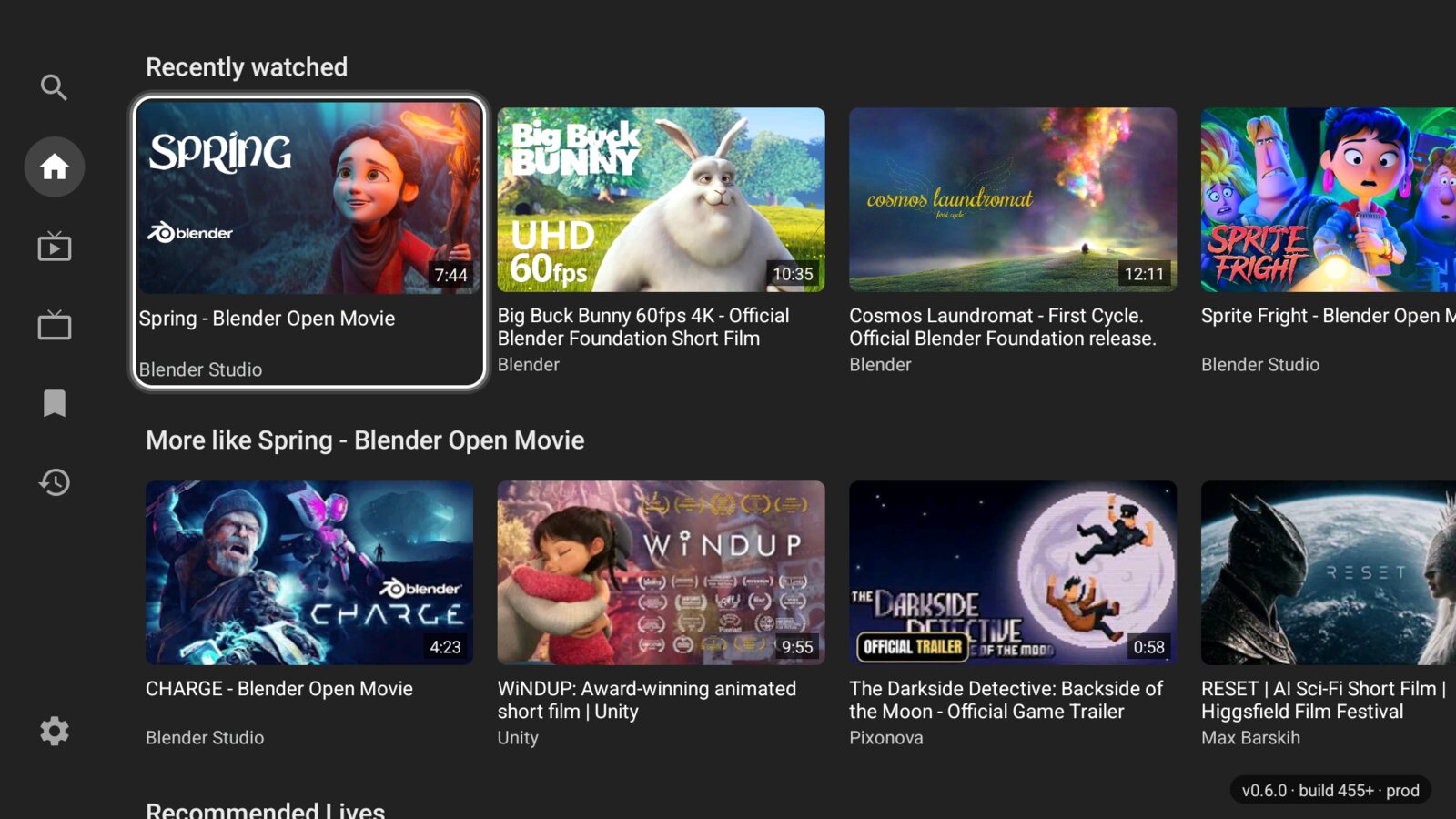
What you watched recently, more like the last of it, what's live, and what's new from your subscriptions, as soon as PipeTV opens.
Light on small sticks
Made and measured on a Mi TV Stick with 1 GB of memory, where it opens in 2 to 3 seconds.
Private
No ads, no account, no tracking. Your subscriptions, history and playlists stay on your TV, and SponsorBlock skips sponsored segments.
Updates itself
A new version shows up at the top of the home. Choose it, see what's new, and PipeTV downloads it, checks it and hands it to Android's installer.
And it's yours to tune: shorts, paid and upcoming videos stay hidden unless you want them, and you can filter out keywords or channels, choose how far Left and Right seek, or turn on DeArrow for crowdsourced titles and thumbnails.
Screenshots
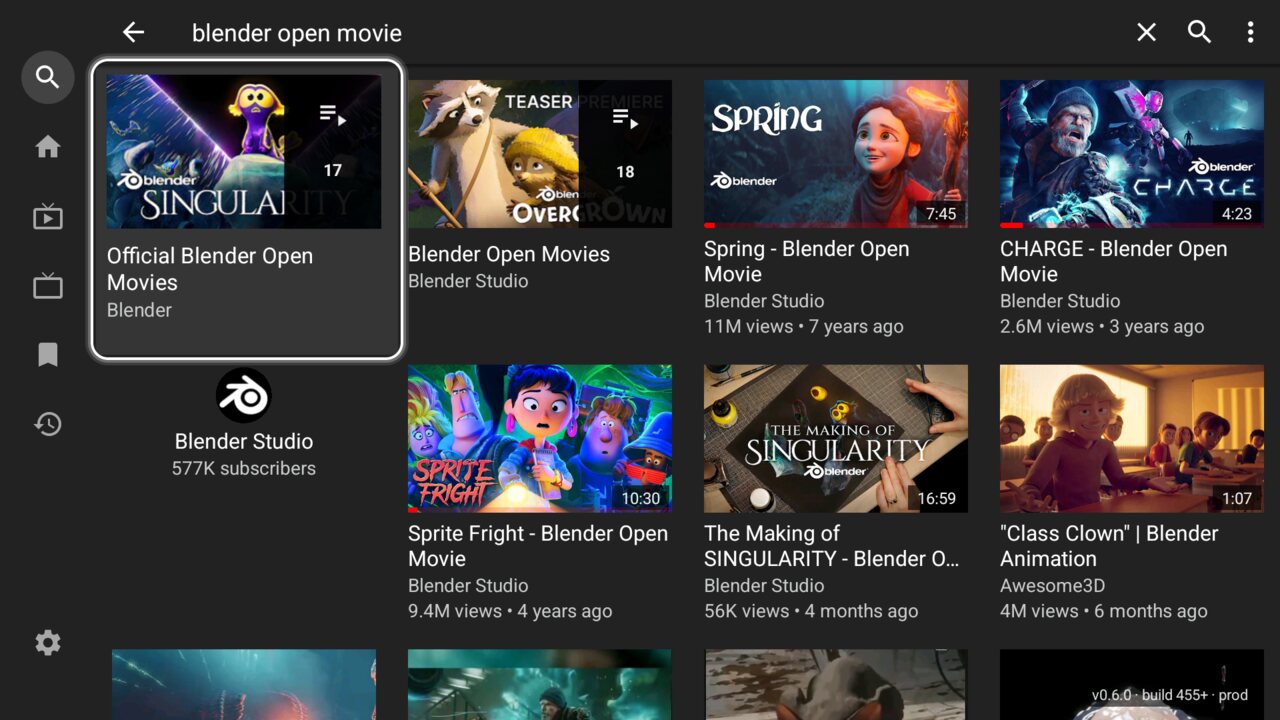
From an Android TV, with Blender's open movies (CC BY, Blender Foundation).

Install
PipeTV runs on TVs, sticks and boxes with Android TV or Google TV, Android 6.0 or newer. It installs next to YouTube and PipePipe, without replacing them.
-
Get Downloader on the TV
Install Downloader from the Play Store on your TV. It's free.
-
Open PipeTV's address in it
Type
felipebueno.github.io/PipeTVand choose Download for Android TV, or type the APK's address directly:https://github.com/felipebueno/PipeTV/releases/latest/download/PipeTV-armeabi-v7a.apk -
Install
When the TV asks, allow Downloader to install unknown apps, then choose Install and Open.
Which APK?
PipeTV-armeabi-v7a.apk runs on nearly every TV, stick and box, even those with 64-bit chips that run a 32-bit Android, like the Mi TV Stick and the Chromecast with Google TV.
TVs with a 64-bit Android, like the NVIDIA Shield TV, can take PipeTV-arm64-v8a.apk. All of them are on the latest release.
Other ways
From a computer on the same network, with the TV's developer options on: adb connect <the TV's IP address>, then adb install PipeTV-armeabi-v7a.apk.
Or copy the APK to a USB drive and open it with a file manager on the TV.
Updates
PipeTV looks for new versions as you use it, at most once an hour, and offers them at the top of its home. Choose Update, confirm in Android's installer, then Open.
Your history and subscriptions stay as they are.
Using the remote
No pointer, no touch: every screen answers the arrows, OK and Back.
| Where | Press | What happens |
|---|---|---|
| A row or list | Left from its first item | The side rail opens |
| Side rail | Up Down, then OK | Go to Search, Home, your tabs, History or Settings |
| Side rail | Right | Back to where you were |
| Home | Back | The side rail opens, and Back again leaves |
| Player | Left Right | Seek right away; hold to keep seeking |
| Player | Down | The related videos come up: OK plays one, Up or Back hides them |
| Player, when a video ends | OK, or Back | The next video plays now, or the countdown stops |
| Player | Back | The player closes, and you're back on the video you chose |
| Search | Back, then Down | The keyboard closes, and Down goes to the suggestions or results |
Built on PipePipe
PipeTV is a fork of PipePipe, which grew out of NewPipe. They do the hard work of talking to YouTube; PipeTV reshapes the app for the TV and keeps up with their updates. On a phone or tablet, PipeTV behaves like PipePipe.
It's free software under the GNU General Public License v3.0, and its code is on GitHub, where the changelog tells what each version brought.